


The end of Facebook likes ?
Likes counts could soon disappear from all social media. This experiment is already underway on Instagram and is being considered by Facebook.
Jane Manchun Wong is an engineer specialized in data app research. In one of her last blog post, she was guessing that Facebook is considering removing Likes after finding out, within the Android app, code allowing to hide the number of likes of a post to the users. The screenshot below, published on her Twitter, shows that the person who created a post can still see names of people and their emojis reaction but a number won’t be revealed anymore. Instead, it would be written “liked by [friend’s name] and others”. For Wong, these moves “indicates that Facebook/Instagram have confidence the pros of hiding like counts outweigh the cons".
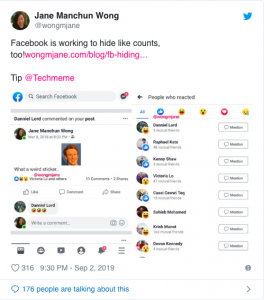 (Image credit: Jane Manchun Wong on Twitter)
Mirroring Instagram's test
After being contacted by TechCrunch, Facebook recently confirmed Jane Manchun Wong’s speculation and is considering launching Likes-removal trials. A couple of months ago, the group already tested a similar approach on Instagram in several countries : Australia, Brazil, Canada, Ireland, Italy, Japan and New Zealand. These actions are aiming to make users to be more focus on sharing experience and no longer on competition.
Improve mental health issues
Just like for Instagram, Facebook wants to improve well being of its users. Some of them, especially younger ones, are always looking for likes and fame on social media.There is a huge amount of studies, showing how these platforms can have an impact on mental health and even lead to depression or anxiety.
In 2018, a study published by Pew Research Center revealed that 37% of teens sharing social content feel pressure about having a lot of likes and comments. To overcome these mental health issues, hiding likes counts might be a solution.

How can Instagram help you to boost your brand?
Instagram has currently a growth superior to Facebook. This social network represents a great opportunity for business as 71% of companies are already using it whatever their sectors. It is important to acquire some tips to maximize your visibility.
Create a certified professional account for more credibility
It allows to have access to insights about your account performance and statistics. For example, you can see data on your audience or graphics about your popularity. But on the other side, you must make public your phone number, email and address.
Create engagement with the users
Engagement is the key of the relationship with the users. It means that your brand is capable of interacting with the social media members through for example likes, comments or share. This variable can be taken into account by the social media since Instagram does not show publication on your news feed chronologically but following the engagement rate. For example, you can repost publication from the users of your brand, ask or answer questions to your subscribers. The purpose is to create a close relationship to involve the users. You can also create a hashtag with a motto that people could subscribe.
Present the real identity and values of your business
Your account must reflect the story and values of your brand. You should prefer the quality of your publication instead of the quantity. Each publication must be an exclusive content. Ideally you should publish once per day. Be careful of the aesthetic of your account: a high quality of picture is absolutely necessary. You can also define the theme and the tone of your filter. You can also follow, comment and share similar business and contents to increase your visibility. People could share publication with your services or products.
Share your news
Instagram helps you to inform your clients of your company’s different events such as sales period for example. It is important to take care of the content: we are not talking about a newsletter here. Posting stories is a good way to transcribe your event in live or not, with an attractive way. You can more easily show who you are and what you are doing through this way. You will also look more accessible to your subscribers.
Sponsored Publication
You can buy sponsored publication (appearing on a news feed) or a sponsored story. You can schedule at which hour it will be published and target a specific audience (following its age or its location). The prices are based on a bidding system in CPC (cost per click) or CPM (cost per one thousand of impression).
Better than a collaboration with another brand, you can call on an influencer. This person will publish a sponsored publication on his account and your services will appear to a wide audience with a direct link to your account. Be careful to choose an influencer which fits with your brand identity.
These tips will help you to find the right combination, it is your turn to create your account!

The best 7 Graphic Design tools for non-designers
Here is the situation. You are running a small business, you need a graphic designer for your social media campaign but you can’t afford one. In this kind of environment, each team members should wear different hats. Which basically means that you have to take care of the design part for yourself. But the graphic design notion can sounds terrifying, mostly when you literally have zero experience in this field…
You need to create professional-looking visuals but you’re not a designer? No problem !
Here are the 7 bests Graphic Design tools you can easily use without any technical know-how.
1. Canva
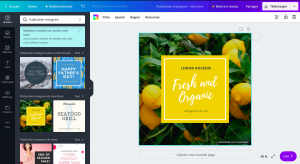
With more than 15 million of active users per month, Canva is THE graphic design tool for non-designers. This free web and mobile application gives the opportunity for beginners to create professional-looking visuals in few minutes.
Providing millions of images, hundreds of pre-sized templates, icons, shapes and other design assets, it also allows you to create your own visuals by uploading your personal images and logos.Business card, flyers, newsletters, social media visuals, photo editing, infographics, everything is possible with Canva.
But if you want to go deeper and learn some tips and tricks about creating stunning visuals, you can to their Design School; they will freely teach you through tutorials and articles.
Although, Canva has wide collection of free templates and images, others are cost $1 each. You can upgrade your account to have more features.
Besides all those services, they developed Canva Pro allowing teams to work, collaborate and comment on designs. You can also schedule your social posts, save all your designs, create your own templates to reuse them afterwards. With the mobile app, you are able to access your team templates at any time. This premium plan starts at $12.95 monthly and $9.95 annually.
2. Snappa
Snappa simplifies each steps of your visual creation !
You don’t need any design experience to create professional content. Snappa provides hundred of pre-made templates, so you don’t have to start from scratch.
You can also have access to a wide selection of high quality photos and customize your design with effects, shapes, fonts and vectors.
You can select the platform you want to post your work on - emails, social media, blogs- and it will resize it to perfectly fit the dimensions required.
Snappa offers 3 different packages : a free version with access to more than 5 000 templates and more than 1 millions photos. The paid version start from $10 per month and you can choose the Team version to collaborate on the same project with your colleagues.
Finally you can publish your creation within Snappa or by connecting your Buffer account to organize your posts.
3. Pixlr
Some people compare Pixlr at Photoshop but in much more simpler and free version.
This sophisticated tool is not made for people looking for really simple photos editors but more for those willing to learn photo modification and spend time on it. Some tutorials and blog articles are available on its website if you want to discover more.
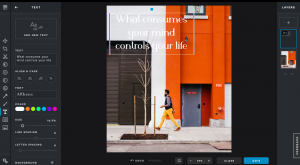
With Pixlr you can freely edit photos, create own visuals at any dimensions - whether for Facebook, Twitter, for a banner or a blog - but also upload your own pictures and fonts.
You can use this graphic tool on your desktop but it comes as mobile app as well; enabling you to use Pixlr Express and to design what you have in mind in few minutes.
4. PicMonkey
PicMonkey allows to create social media illustrations helping non-designers to communicate better on their platforms. You will be able to design from scratch but also to edit your pictures, to create collages. It includes many choice of fonts, filters, templates and overlays.
This program is available on desktop as well as on mobile making it easy to retouch, improve and publish a picture from your phone. PicMonkey comes with a free trial allowing you to use their services for 7 days. You can level up and sign up to paid version starting from $7.99 per month.
5. Over
Over, only available as a mobile app, allows you to create simple, professional looking and trendy social media graphics. Intuitive and easy to use, it offers basics templates that you customize by changing colors, the font style, the size or uploading your on photos from your camera. The app separates every elements, making it easier for you to add your personal touch.
Over is free to download however there are many in-app purchases to make. So, to have access to unlimited features, you have to subscribe to the Pro version for $16 or $106 per year.
Like Canva and Snappa, the app has an option for teams collaboration. Indeed, with Over Teams, you have access to all templates, illustrations, icons and you can interact with your colleagues. It allows a group of person to comment in real time, to work on the same design and save it as a template. Subscriptions for this service cost $67 per month and give the ability to include as many members as you want - no need to pay for each person.
6. Pablo
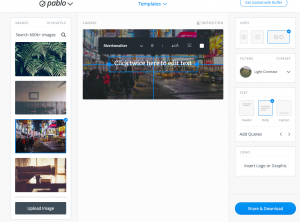
Available on desktop but also as a mobile application and Chrome extension, Pablo is a free image editor simple and easy-to-use; especially for those who already worked on Buffer. If you want to create minimalist image for your social media, this tool is ideal. For more sophisticated, complex or creative design, we won’t recommend it.
Pablo provides royalty free images, but you can upload yours. You have the option to crop them at the right dimensions based on the platform you want (Facebook, Instagram, Pinterest and Twitter). Finally you can add texts, logos and filters.
7. Stencil
After reviewing 6 different tools to create your own visuals, is Stencil really different from the others ?
Well, it is different because if you’re aiming to have more engaged prospects on your social media, Stencil is what you need !
Thanks to Stencil, you are easily able to create ad graphics, social media posts and images that will generates involvement from everyone.
To do so, it offers templates and fonts that you can easily customize to include your personal touch, as well as graphics and icons. It also provides over a million of images and illustrations - they add thousands new ones every day.
In addition, you can specify which social media you want to post on and it will instantly resize your visual according to the platform requirements. Finally, you don’t need to use another tool to put your creation online since Stencil gives you the option to schedule and publish it.
The program has both a free and paid version which starts from $10. With the free one, you can use 10 images per month and a limited amount of templates and icons. The Team version, at $12 per month, will ease your team collaboration.
To sum up
Back in the days, graphic design could only be done by highly trained graphic designers. Nowadays, with internet, creating visuals, infographics and editing pictures is within reach of anyone.
No matter which types of business you are running, those tools can help you to improve your social media campaigns or even to start them.
You no longer need to hire professional but you just need to choose the right tool that will boost your social media.
With all those tools, and many others, graphic design becomes easy !